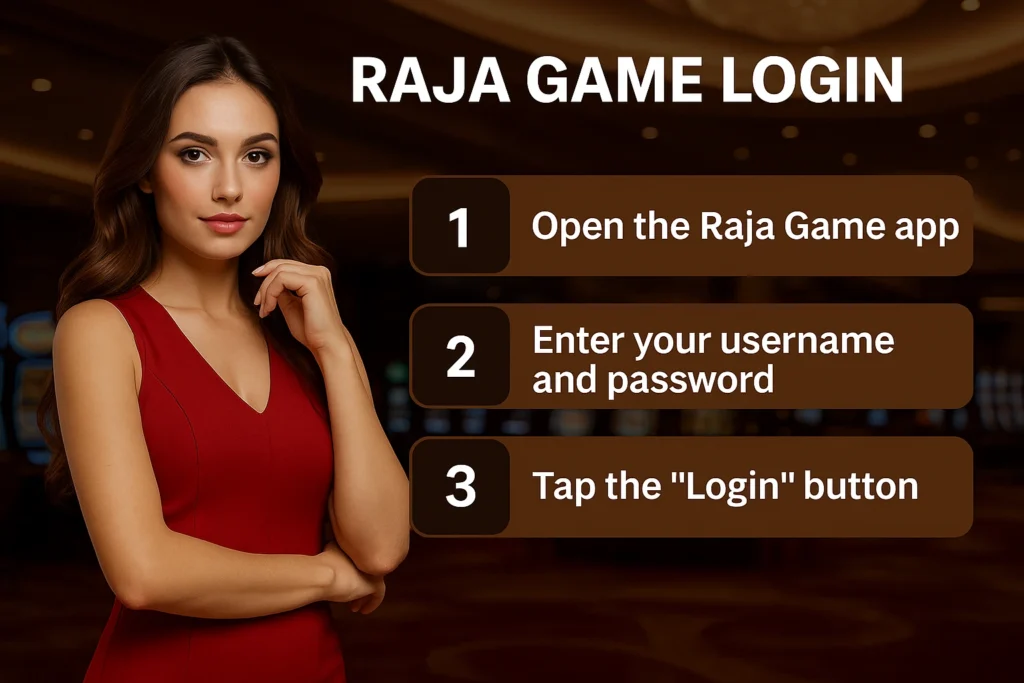
Raja Game ID – How to Create It (Fast Registration & Verification Guide 2025)
If you want to explore online gaming or casino-style games on Raja Game, the first thing you need is a Raja Game ID. Without an ID, you cannot log in, access games, manage your balance, or request withdrawals.
But many new users are confused:
- How do I create a Raja Game ID?
- What details do I need?
- How does mobile OTP and KYC verification work?
- Why is my account or KYC getting rejected?
This in-depth guide explains step by step how to create a Raja Game ID, complete verification quickly, and avoid common mistakes that can delay or block your account.
⚠️ Important Disclaimer:
This article is for information and educational purposes only. Real-money gaming may not be legal in every state or region. Always check your local laws, play only if you are 18+, and never use borrowed, essential, or emergency money for gaming.
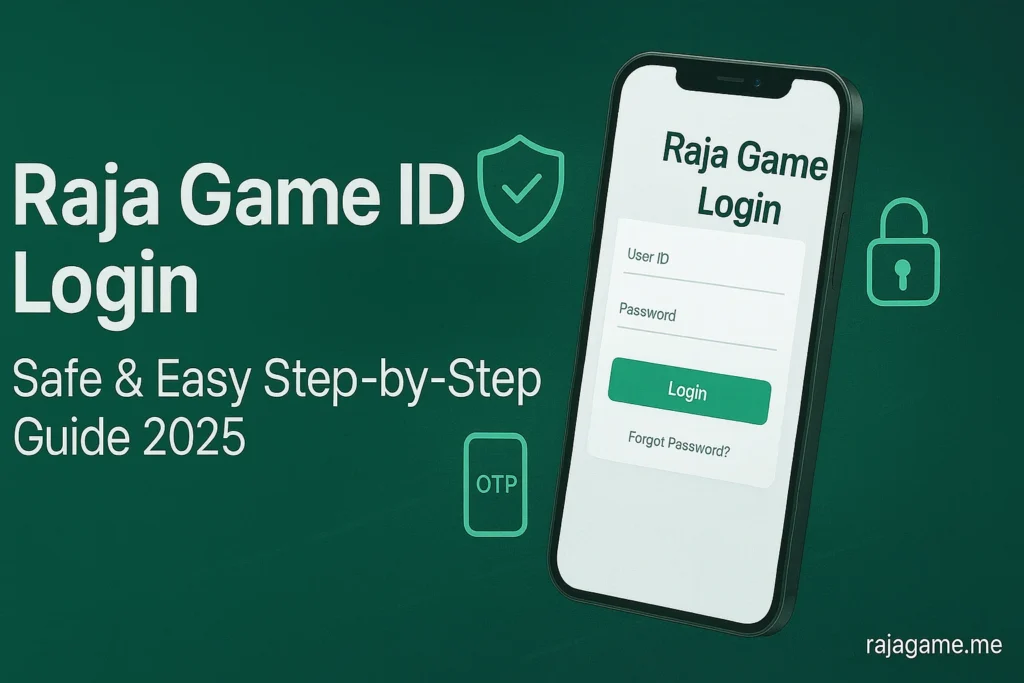
Table of Contents
1. What Is a Raja Game ID?
Your Raja Game ID is your unique account on the Raja Game platform. Once you have an ID, you can:
- Log in to the platform
- Access available games (sports, casino-style, color games, etc. – depending on what the platform offers)
- View your wallet balance
- Make deposits and request withdrawals
- Claim bonuses, offers, and promotions
- Track your betting or gaming history
Think of it like this:
Just like a bank account connects to your money, your Raja Game ID connects to your gaming balance and activity.
Because of this, the information you use during registration should be correct and genuine. Fake details, random passwords, or using someone else’s mobile number can create serious issues later, especially during KYC and withdrawals.
2. What to Keep Ready Before You Create a Raja Game ID
If you want fast registration and quick verification, keep a few basic things ready beforehand.
2.1 Age & Legal Eligibility
- You must be at least 18 years old.
- In some states or regions, real-money online gaming or betting may be restricted or banned.
- Always confirm whether such platforms are legally allowed in your area before you register.
2.2 Active Mobile Number
- Use a working mobile number that you currently use.
- OTP (One Time Password) for verification will be sent on this number.
- It’s even better if the same number is active on WhatsApp, as support may contact you there in some cases.
2.3 Valid Email Address (Optional but Recommended)
Not all platforms make email mandatory, but if they provide an email field:
- Use a real, active email ID.
- It helps for:
- Password recovery
- Account alerts
- Important notifications
2.4 Bank / UPI Details (Mainly for Withdrawals)
Most platforms do not require full bank details during basic registration, but you will need them later for withdrawals:
- UPI ID (e.g.
name@upi) - Bank account number
- IFSC code
- Account holder name (must match your ID proof in most cases)
2.5 Basic ID Proof for KYC
For KYC (Know Your Customer) verification, you may be asked for:
- Aadhaar Card
- PAN Card
- Voter ID or Driving Licence
- Sometimes bank passbook or statement first page
Having clear photos of these documents ready will make your verification process much faster.
3. Why You Should Create Your Raja Game ID Only Through Official / Trusted Channels
One big risk with popular gaming platforms is the presence of:
- Fake websites
- Fake “agents”
- Fake Telegram or WhatsApp groups
- Scam registration links
If you share your personal details or documents on a fraudulent page, you risk:
- Losing money
- Having your identity misused
- Getting your account/ID blocked later
- Facing difficulties with withdrawals
To stay safe:
- Use only official or genuinely trusted links for registration.
- If you register via an agent or support contact:
- Confirm whether they are genuinely connected to the platform.
- Test with very small deposits and withdrawals first.
- Never share:
- OTPs
- Passwords
- UPI PIN
- Bank OTP
with anyone, even if they claim to be “official support”.
✅ Golden Rule: A real platform support team will never ask for your full OTP, UPI PIN, or banking password.
4. Step-by-Step: How to Register and Create a Raja Game ID
Every website or app looks slightly different, but the core registration flow is usually the same. Here’s a generic step-by-step guide.
Step 1: Open the Registration / Sign-Up Page
You can reach the registration form in one of these ways:
- From the official website/app by clicking on “Sign Up” or “Register”
- Through an official support link shared via WhatsApp/Telegram
- From a trusted partner site that redirects to the genuine registration page
Once you open the registration form, you will see several basic fields to fill in.
Step 2: Fill in Your Basic Details
Typical fields include:
- Full Name – Ideally as per your Aadhaar or bank documents
- Mobile Number – The active number where you will receive OTP
- State / City – Your actual location
- Email ID – If the platform asks for it (recommended to provide a real one)
- Referral Code (Optional) – Only if you have a genuine code from a trusted friend or partner
Using real details is very important. If your registration details don’t match your ID proof during KYC, your account may be rejected later.
Step 3: Set a Strong Password
Next, you’ll need to create a password for your Raja Game ID. This is your first line of security, so don’t rush it.
A strong password should:
- Be at least 8–12 characters long
- Include:
- Uppercase letters (A–Z)
- Lowercase letters (a–z)
- Numbers (0–9)
- Special characters (@, #, $, &, !, etc.)
Weak password examples to avoid:
12345678passwordraja123- Your phone number or date of birth
Better pattern example (don’t copy this exactly):
RajaGame@2025PlaySafe#89
✅ Tip: Store your password in a secure notes app or a password manager instead of relying on memory only.
Step 4: Complete Mobile OTP Verification
Most genuine platforms use mobile OTP verification to confirm your number.
The usual process:
- Enter your mobile number in the form.
- Click on “Send OTP” or “Verify”.
- You will receive a 4–6 digit OTP via SMS.
- Enter this OTP on the website/app.
- If correct and valid, your number gets verified.
If the OTP does not arrive:
- Check your network connection.
- Confirm you entered the correct mobile number.
- Try using the “Resend OTP” option after a short wait.
- Make sure your SMS inbox is not full or blocked for promotional messages.
Never forward OTP messages or screenshots to anyone claiming to be support.
Step 5: Raja Game ID Gets Generated
After successfully completing OTP and registration:
- The system will either:
- Ask you to choose a username/user ID, or
- Automatically generate a unique ID (e.g.,
RG123456, etc.)
Now you have:
- A Raja Game ID / username
- Your password
You can now log in, update your profile, and proceed to verify your account (KYC).
5. How to Complete Raja Game KYC Verification (Step-by-Step)
Most platforms today require KYC to:
- Prevent fake or duplicate accounts
- Follow regulatory and banking requirements
- Reduce fraud and chargebacks
Here’s how you usually complete KYC after registration.
Step 1: Open the KYC / Verification Section
After logging in, look for options like:
- KYC
- Verify Account
- Account Verification
- Upload Documents
Tap that section to begin the verification process.
Step 2: Confirm Your Personal Details
You may need to either fill or confirm:
- Full Name (as per ID proof)
- Date of Birth
- Full Address
- City, State, and PIN code
- Country
These details should match your ID proof (Aadhaar, PAN, etc.). Any mismatch can cause delays or rejection.
Step 3: Upload ID Proof
You’ll then be asked to upload one or more identity documents, such as:
- Aadhaar Card (front & back)
- PAN Card
- Voter ID
- Driving Licence
Document upload tips:
- Use clear, well-lit photos (no blur or shadows).
- Ensure all details (name, DOB, numbers) are fully visible.
- Do not crop out important parts like holograms, barcodes, or signatures.
- Stay within the platform’s file size limits.
Step 4: Upload Selfie or Live Photo (If Required)
Some platforms also require:
- A normal selfie
- A selfie holding your ID card
- Or a live camera verification
Purpose: to confirm that the person in the documents is actually you.
Selfie tips:
- Take the photo in good lighting.
- Your face should be fully visible, no cap/mask covering it.
- Use a plain background if possible.
Step 5: Add Bank / UPI Details
For smooth withdrawals, you often need to add:
- Bank account details:
- Account holder name
- Account number
- IFSC code
- Or a UPI ID
Some platforms may ask for:
- A photo of your bank passbook first page
- A screenshot of your bank statement
- A cancelled cheque
✅ Very important: The name on your bank account should match the name on your KYC document to avoid withdrawal problems.
Step 6: Wait for KYC Review & Approval
Once you submit everything:
- The platform’s team will review your documents.
- This may take anywhere from a few minutes to 24–48 hours, depending on the platform’s workload.
Your KYC status will usually be:
- Pending – Under review
- Approved / Verified – You’re fully verified
- Rejected – Something went wrong
Common reasons for rejection:
- Blurry or unreadable document photos
- Mismatched names or dates of birth
- Cropped or partially visible documents
- Suspicion of edited/fake documents
Read the rejection reason carefully, fix the problem, and re-upload documents.
6. 10 Practical Tips for Faster Raja Game Registration & Verification
If you want your Raja Game ID to be created and verified quickly, follow these tips:
- Use real information – Avoid fake or random data.
- Keep your documents ready – Clear photos of Aadhaar/PAN, etc.
- Use a stable internet connection when filling forms or uploading documents.
- Double-check mobile number and email before submitting.
- Create a strong, unique password (not reused from other apps).
- Avoid multiple IDs from the same device/number; it can get you flagged.
- Fill your full profile (address, DOB, etc.) correctly before KYC.
- Enter bank/UPI details carefully – even a single digit error can cause issues.
- Take clear, sharp photos of documents and selfies.
- Be patient and polite with support if you need help; panicking or being rude doesn’t speed up KYC.
7. Common Registration & Verification Problems (With Solutions)
7.1 OTP Not Received
Possible reasons:
- Network or signal issues
- Wrong number entered
- SMS filtering or DND settings
What you can do:
- Check network and move to a better signal area.
- Confirm you typed the correct number.
- Use the “Resend OTP” option after waiting 30–60 seconds.
- Restart your phone if needed.
7.2 Error: “User Already Exists” or “Invalid Details”
Possible reasons:
- You already created an account earlier using the same mobile number.
- There is some conflict with your number or email in the system.
Solutions:
- Try using “Forgot Password” or “Recover Account” options.
- If you had registered via an agent, ask them for your existing ID details.
- Do not keep trying to create many accounts with the same number.
7.3 KYC Rejected
Possible reasons:
- Low-quality photos
- Cropped or cut-off documents
- Details in the profile not matching the document
- Suspicion of tampering or fake IDs
Solutions:
- Retake photos in good lighting, making sure everything is visible.
- Correct your profile details to exactly match your official documents.
- Re-upload and wait again for review.
- If the message is unclear, contact support and politely ask for the exact reason.
7.4 Withdrawal On Hold Due to KYC
Sometimes you can deposit and play, but:
- Withdrawals are blocked or limited until KYC is fully approved.
Solution:
- Complete all KYC steps properly.
- Ensure bank/UPI details match your ID information.
- Wait for approval before attempting large withdrawals.
8. Safety, Legal & Responsible Gaming Guidelines
Creating a Raja Game ID is not only about registration and KYC; it’s equally about safety and self-control.
8.1 Legal Awareness
- Laws around real-money gaming/betting differ from state to state.
- Some states may strictly ban online betting or casino-style platforms.
- Always check the latest legal status in your area before using any such platform.
8.2 Responsible Gaming
- Play only with spare money, not with rent, fees, EMIs, or emergency funds.
- Do not chase losses by increasing your bet size emotionally.
- Set daily/weekly limits on both time and money spent.
- Take regular breaks; if you feel addicted or out of control, step away.
Gaming should be treated as entertainment, not as a guaranteed income source.
8.3 Security Best Practices
- Never share your password or OTP with anyone.
- Avoid logging in from public computers or shared devices.
- Always log out if you use someone else’s phone or laptop.
- Beware of fake calls or messages that claim to be “support” and ask for sensitive data.
- Consider changing your password periodically.
9. Raja Game ID – Frequently Asked Questions (FAQs)
You can use this FAQ section directly in your blog, and also convert it into FAQ schema later if you want.
Q1. What is a Raja Game ID?
A Raja Game ID is your unique account on the Raja Game platform. Using this ID and password, you can log in, access games, manage your wallet balance, claim bonuses, and request withdrawals.
Q2. What is the minimum age to create a Raja Game ID?
You should be 18 years or older to create a Raja Game ID and participate in real-money gaming. Minors should not use such platforms.
Q3. Is it necessary to use real details while registering?
Yes. You should always use original and correct details for your name, mobile number, and KYC documents. If your information does not match during verification, your account or withdrawals can be blocked or rejected.
Q4. Do I have to complete KYC to use Raja Game?
In most cases, full KYC is required to unlock normal deposit and withdrawal limits. You may be able to explore basic features without KYC, but for smooth withdrawals and higher limits, KYC verification is almost always necessary.
Q5. How long does Raja Game KYC verification take?
KYC review time varies by platform. Typically, it can take anywhere from a few minutes to 24–48 hours, depending on how many requests the team is handling and how clear your documents are.
Q6. What documents are usually required for KYC?
Common KYC documents include:
- Aadhaar Card
- PAN Card
- Voter ID or Driving Licence
- Sometimes bank passbook or cancelled cheque
The exact requirements may differ from platform to platform.
Q7. Why was my KYC rejected?
KYC can be rejected due to:
- Blurry or dark document photos
- Cropped or partially visible images
- Mismatched name or date of birth between your profile and documents
- Suspicion of altered or fake documents
Carefully read the reason given, fix the issue, and re-upload clear and correct documents.
Q8. What if I forget my Raja Game ID or password?
Most platforms provide a “Forgot Password” or “Recover Account” option. You’ll usually have to verify your registered mobile number or email to reset your password or retrieve your login details.
Q9. Can I create multiple Raja Game IDs with the same mobile number?
Generally, this is not recommended and may be against the platform’s terms. Creating multiple accounts from the same number or device can get you flagged or banned. Use only one genuine account.
Q10. Is Raja Game completely safe and legal?
Safety and legality depend on:
- The genuineness of the platform
- Whether your local laws allow real-money gaming
- How carefully you protect your own details and credentials
This guide does not guarantee legality or safety. You must do your own research, follow the law in your state, and play responsibly if you choose to proceed.
10. Final Summary
To quickly recap:
- A Raja Game ID is your main access point to the platform.
- Prepare your mobile number, documents, and basic details before registering.
- Register only through official or trusted channels.
- Complete mobile OTP and KYC using clear, accurate information.
- Use strong passwords, protect your account, and never share OTPs.
- Always follow local laws and practice responsible gaming.
If you’d like, I can now: